Forge of Empires Blueprint Matcher
Blueprints arrive at random, so the pile you end up with is four copies of piece three and none of piece seven. Defiant lays every Great Building set out by era, counts what you hold of each of the nine pieces, and turns the duplicates you can spare into the pieces you are missing.
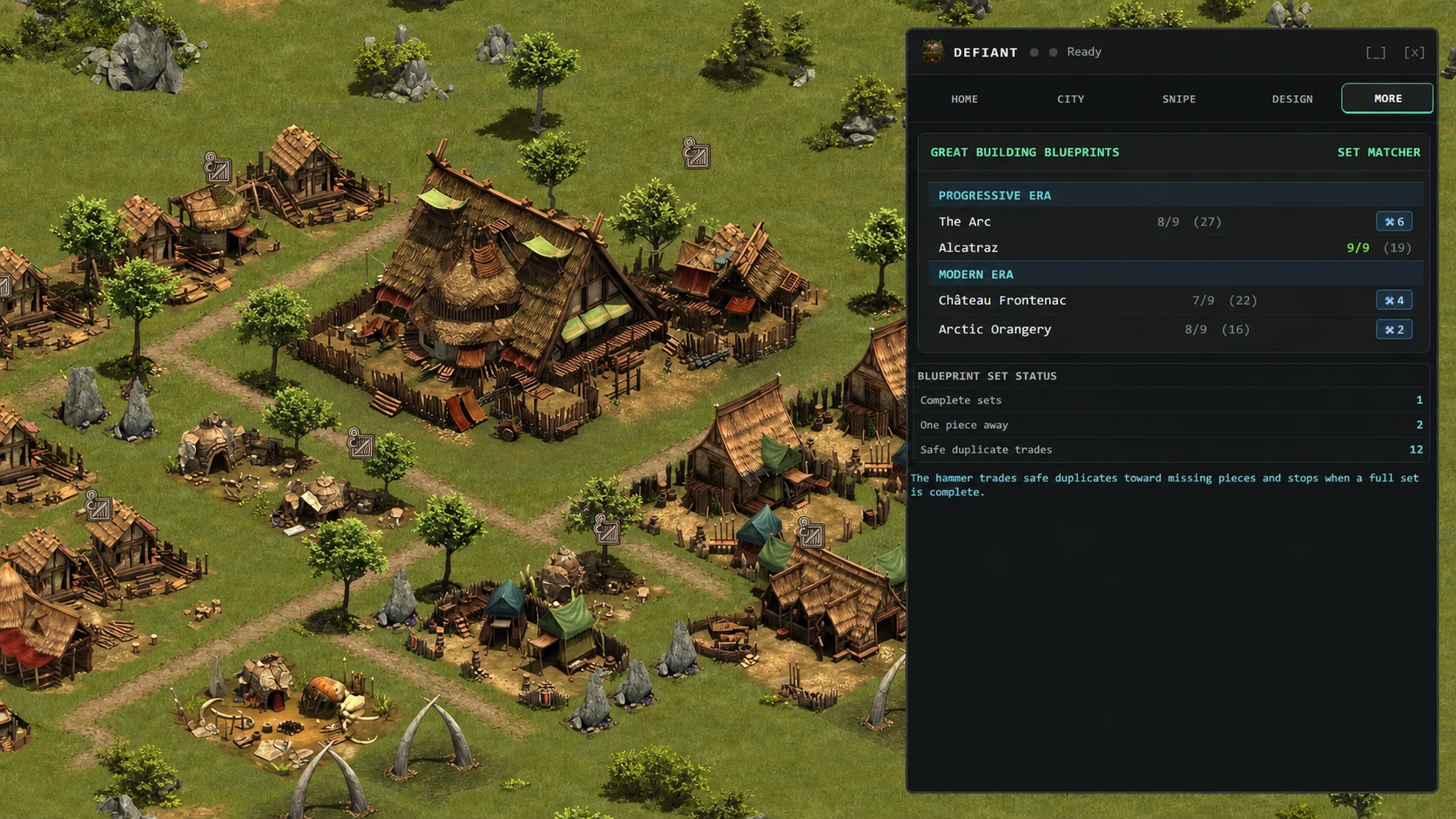
Real Defiant interface with fictional, privacy-safe values. Forge of Empires is shown only to demonstrate how the extension appears in use.
Every set at a glance
Your blueprint inventory is grouped by era and Great Building, with the count you hold of each of the nine pieces and a running total.
One piece away is visible
Sets close to completion are obvious instead of buried, so you know which building is worth chasing next.
Duplicates become pieces
Consolidation pairs up surplus pieces — the ones you hold more than one of — and trades them in to fill the gaps in the same set.
Completed sets are left alone
Anything already at nine of nine is skipped outright. The trade only runs where a valid surplus pair exists, and the preview names every trade before the first one fires.
You hear when a set unlocks
A full set triggers an alert the moment it completes, so a build-ready Great Building does not sit unnoticed in your inventory.
How it works
- Open the Inventory window from the Defiant panel and switch to blueprints. Your sets load grouped by era and Great Building.
- Scan the set list for buildings close to nine of nine, and for the pieces you are holding spares of.
- Press Consolidate on a single building, or run it across the inventory, and read the preview of exactly which duplicate pairs would be traded.
- Confirm to start. Defiant trades pair by pair, updates your counts from each response, and stops as soon as no surplus pair is left or the set completes.
- Take the unlock alert as your cue — the set is finished and the Great Building is ready to build.